

JH Bookmarks
Bookmarks, notes and advanced search in a fast interface for Chrome.
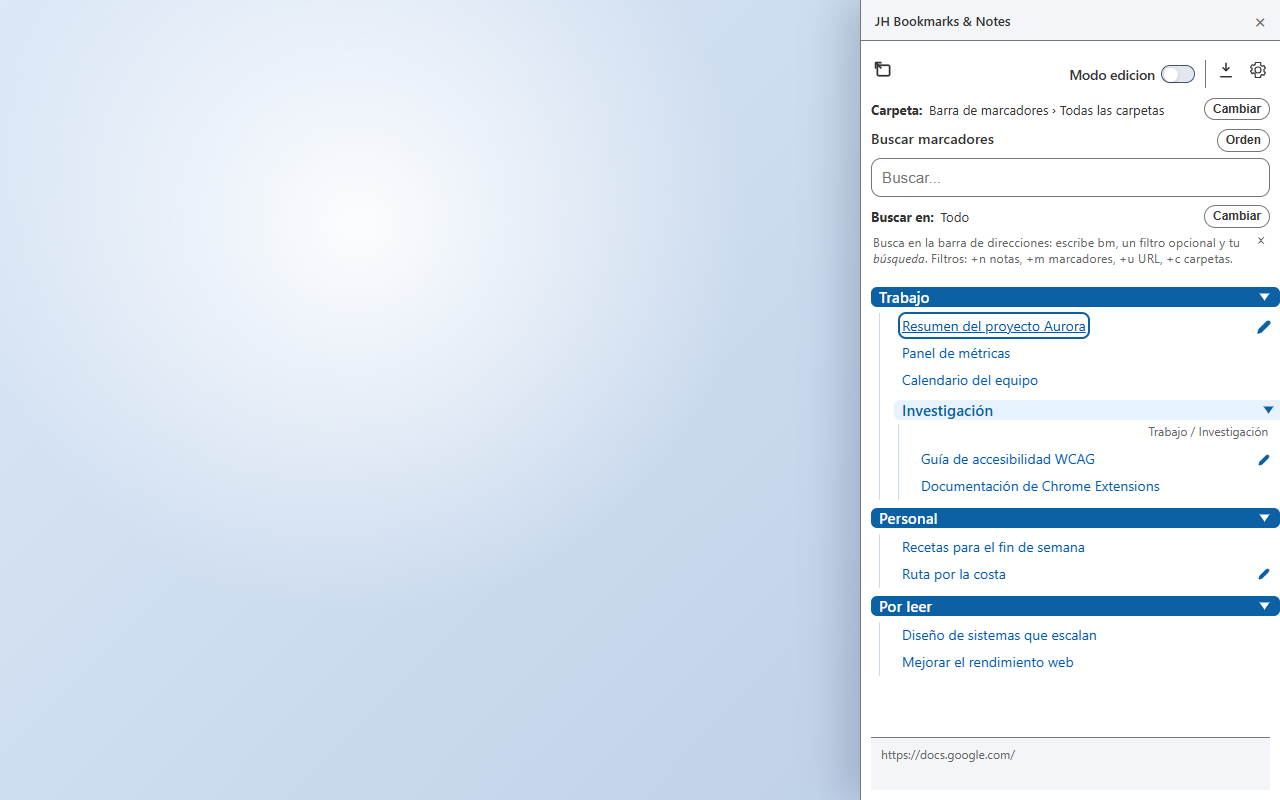
JH Bookmarks & Notes adds custom notes to your bookmarks and helps you find any resource by title, URL, folder or note content. It keeps the full folder path visible so you never lose context.
LanguagesSpanish, English, Catalan and Galician
Install in ChromeIn action
How it
works.
Main features
Everything essential,
at a glance.
-
01
Formatted notes
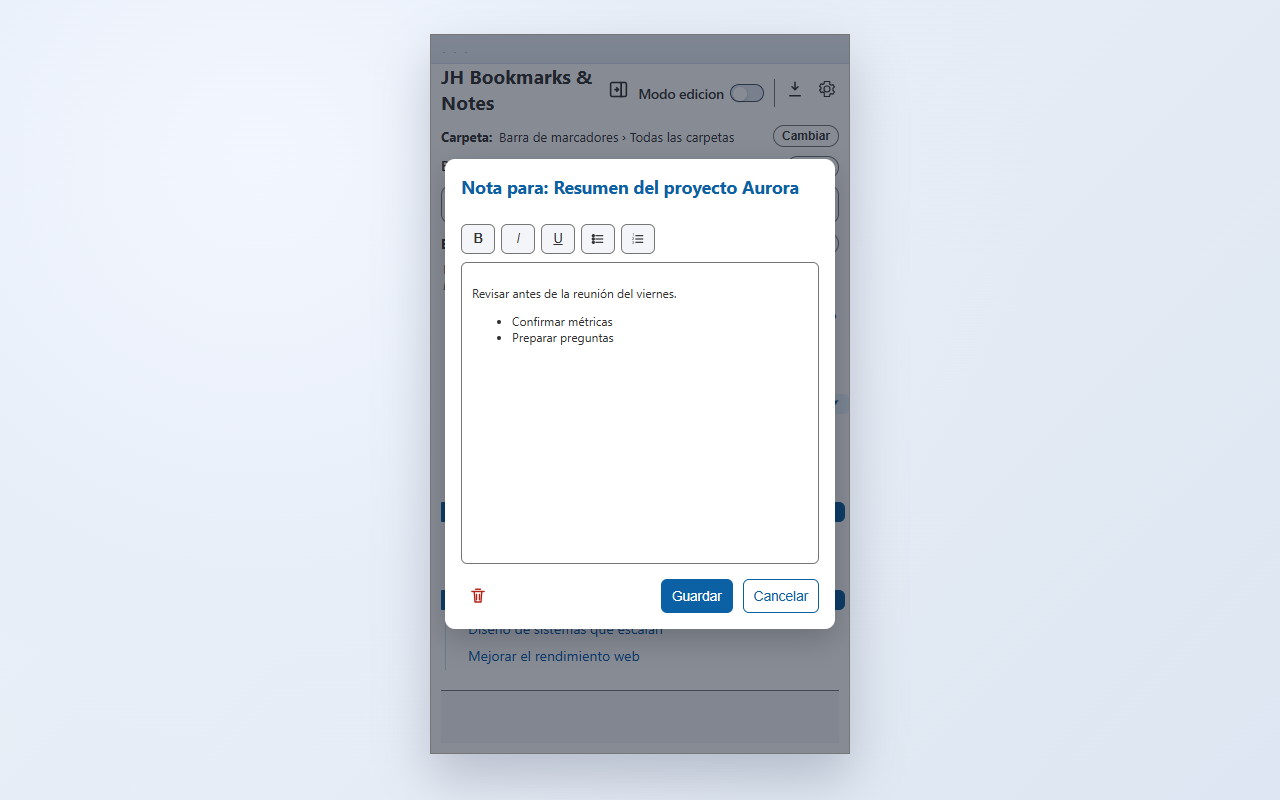
Add comments to any bookmark and edit them with bold, italic, underline and lists.
-
02
Comprehensive search
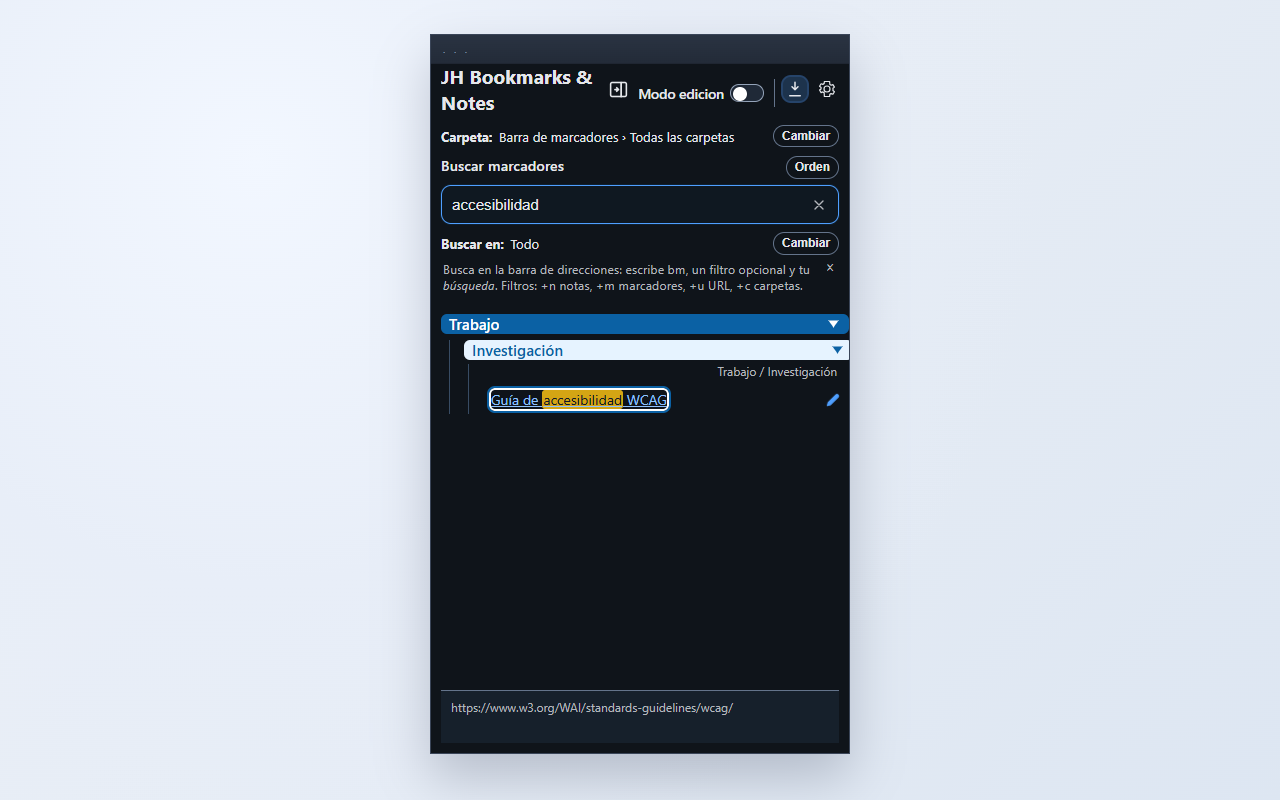
Find matches in titles, URLs, folders and notes, with fuzzy matching and visual highlighting.
-
03
Search from Chrome
Use the bm prefix in the address bar to search bookmarks, URLs, folders and notes.
-
04
Folder paths and context
Keep the full folder path visible so you can recognise where each bookmark is located.
-
05
Chrome Sync
Synchronise notes and preferences through Chrome's built-in feature and your Google Account settings.
-
06
Side panel and pop-up window
Choose between the native side panel and a pop-up window to view and manage your bookmarks.
-
07
Sorting and maintenance
Sort A–Z or Z–A, apply the order in Chrome, and remove bookmarks or empty folders from edit mode.
Privacy
Your information
stays with you.
This extension is designed to work with minimal data exposure. Review the permission details and specific privacy policy before installing.
Read the privacy policyFrequently asked questions
Before you
begin.
Where are my bookmarks stored?
Your bookmarks remain stored in Chrome. JH Bookmarks displays and manages them, but does not create a separate copy. Bookmark synchronisation, export or backup depends on Chrome and the options you use outside the extension.
What information does JH Bookmarks store?
The extension stores notes associated with bookmarks and its preferences. Notes and preferences can be synchronised through Chrome Sync if it is configured for your Google Account; Complementa does not store them on its own servers.
Does sorting or deleting in the extension modify Chrome?
Yes. When you apply an order, remove a bookmark or delete an empty folder in edit mode, the change is made to your Chrome bookmarks. JH Bookmarks does not keep a separate copy for undoing it.
Do I need a Complementa account?
No. The extension uses your Chrome bookmarks and, if you choose to synchronise notes and preferences, the built-in Chrome Sync feature linked to your Google Account.