

JH A11y tools
Review web accessibility with zoom, reflow, accessible names, targets, focus and headings in Chrome.
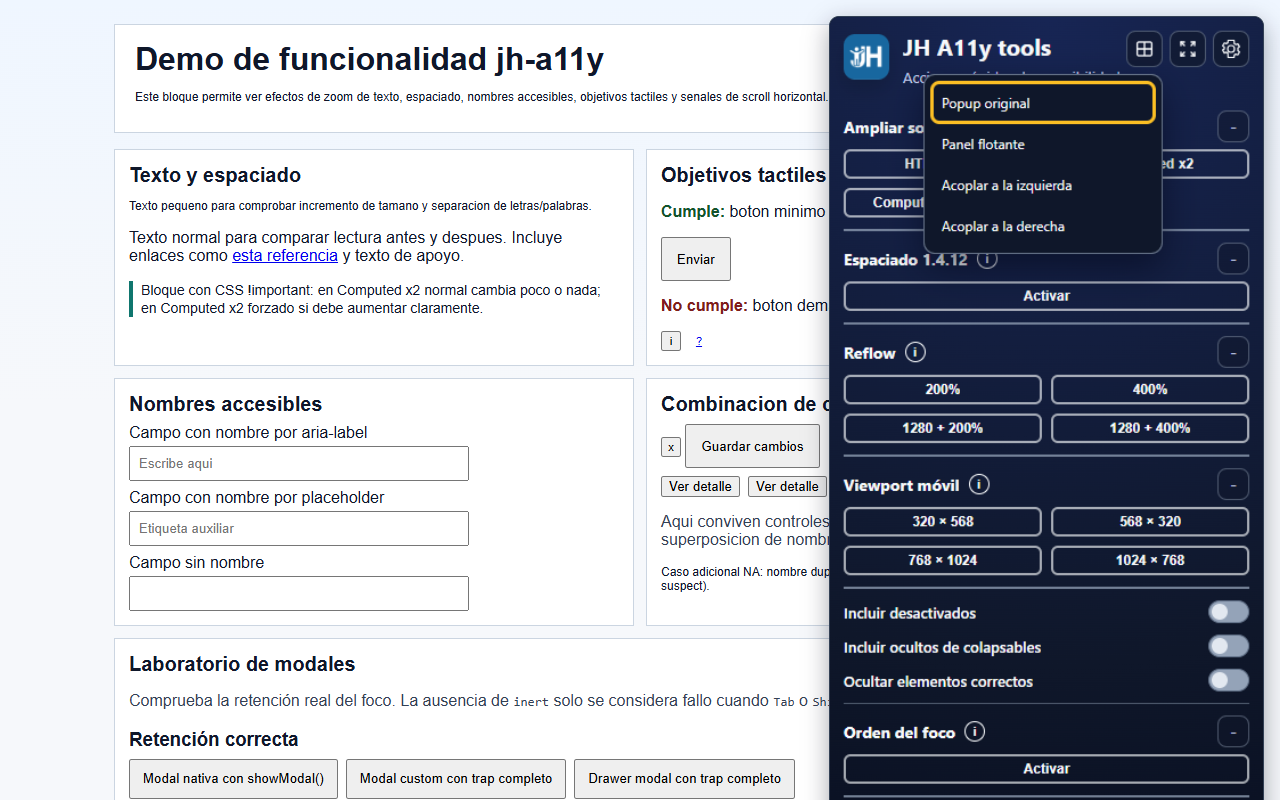
JH A11y tools brings together quick actions for reviewing key behaviours directly in the browser. It makes common issues visible through overlays, filters and list views, without replacing manual audits or professional judgement.
LanguagesSpanish and English
Install in ChromeIn action
How it
works.
Main features
Everything essential,
at a glance.
-
01
Accessible names
Classify the source of names and detect unnamed elements, weak names or duplicates.
-
02
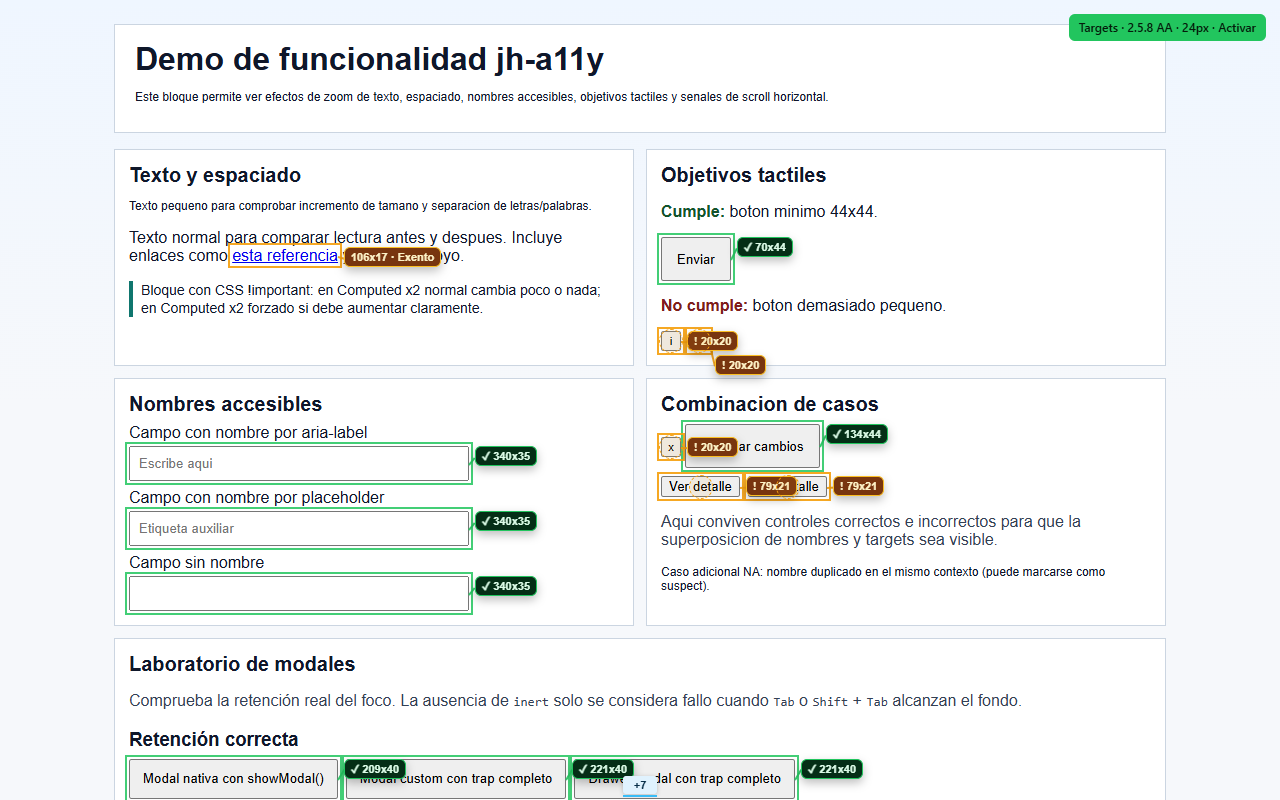
AA and AAA targets
Measure the actual operable area and distinguish passes, failures, spacing, clipping and overlapping layers.
-
03
Focus order
Visualise the tab sequence, positive tabindex values and hidden elements during keyboard navigation.
-
04
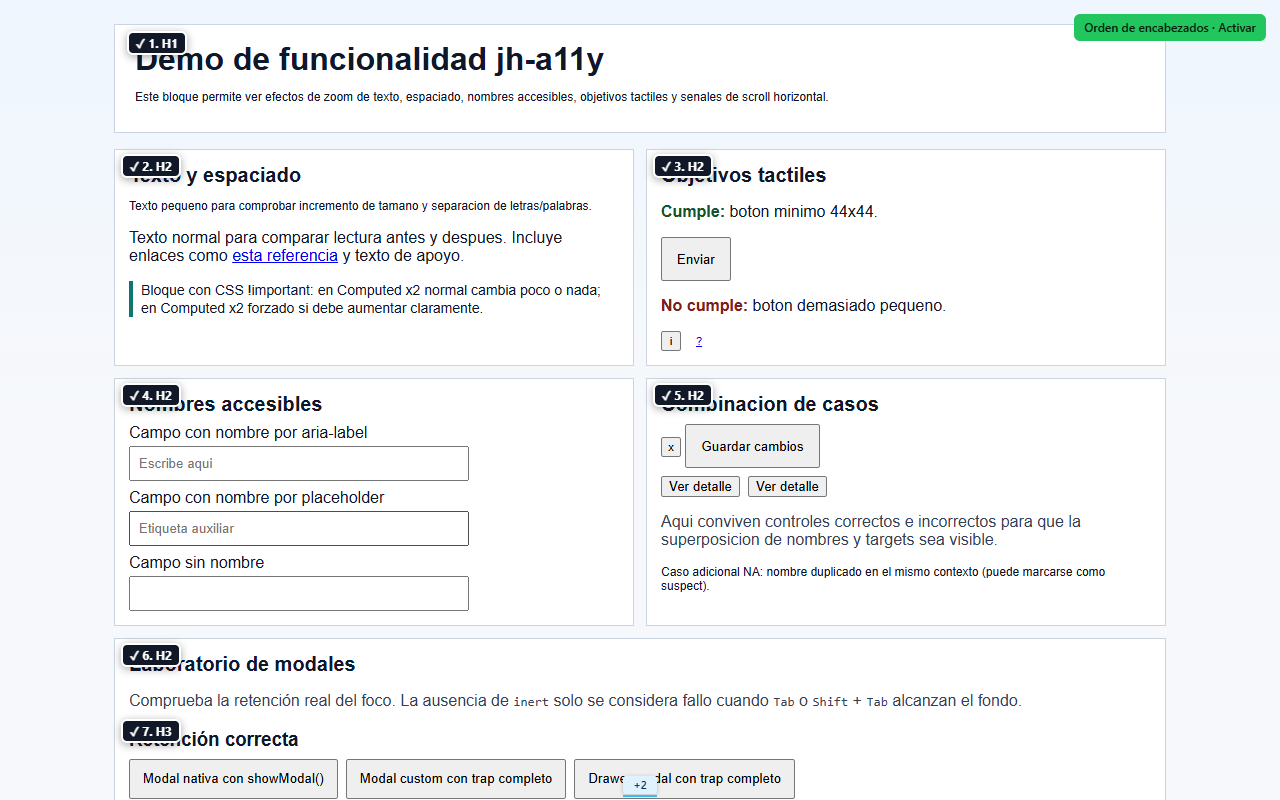
Heading hierarchy
Review H1–H6 levels, order, status and document branches in a collapsible hierarchy map.
-
05
Text zoom
Test text enlargement at 200% using different zoom modes.
-
06
Text spacing
Apply the spacing defined by WCAG 1.4.12 to check how content adapts.
-
07
Reflow at 400%
Validate content reflow using browser zoom.
-
08
Mobile and tablet viewports
Switch the viewport between mobile and tablet sizes to review how the page responds.
Privacy
Your information
stays with you.
This extension is designed to work with minimal data exposure. Review the permission details and specific privacy policy before installing.
Read the privacy policyFrequently asked questions
Before you
begin.
Does it replace an accessibility audit?
No. JH A11y tools helps inspect specific aspects and reveal potential issues, but its results require manual review and professional judgement. On its own, it does not certify that a page conforms to accessibility standards.
What can I review with it?
It includes checks for accessible names, target size, focus order, heading hierarchy, text zoom, text spacing, reflow at 400% and different viewport sizes.
Does the extension send the content of the pages I analyse?
No. DOM analysis and test styles are applied locally in the browser; content is not transmitted to Complementa or external servers.